Visualizers

Audio-reactive visualizers for a voice assistant. Each one is a single hand-written file — no build step, no dependencies, nothing to install.

Nothing on screen runs on a timer. Every one of these is wired to what the assistant is actually doing, so the picture is a readout rather than a screensaver. Four states, and they look different from each other in kind, not just in speed:

idle At rest. Alive but calm — something you can leave on a screen all day without it demanding anything.
listening It can hear you. Inbound attention: busier than idle, and reading as something arriving rather than something being said.
thinking Working. More traffic, more of it internal — the machine talking to itself rather than to you.
speaking The centrepiece. Brightness rides the live voice level, and waves fire on the peaks of speech rather than on the level itself — which is what makes it read as talking instead of pulsing.

The colours carry meaning too, and they do not rotate: cyan is inbound, magenta is the assistant’s own internal work, amber is a background job running unasked, green is the answer going out. A busy machine looks busy. When the signal stops, everything settles — a scene still dancing with no input would be lying to you.

Read What a visualizer actually is — what one is, the single question that separates it from a screensaver, and why these are all one file.
Read Jarvis v1: a circuit board that hears you — the first build, why the copper routes the way it does, and the full brief that produced it.
Read Jarvis 1.2: everything wrong with it looked fine — four faults that never showed up in the code, and the review prompt that catches them.
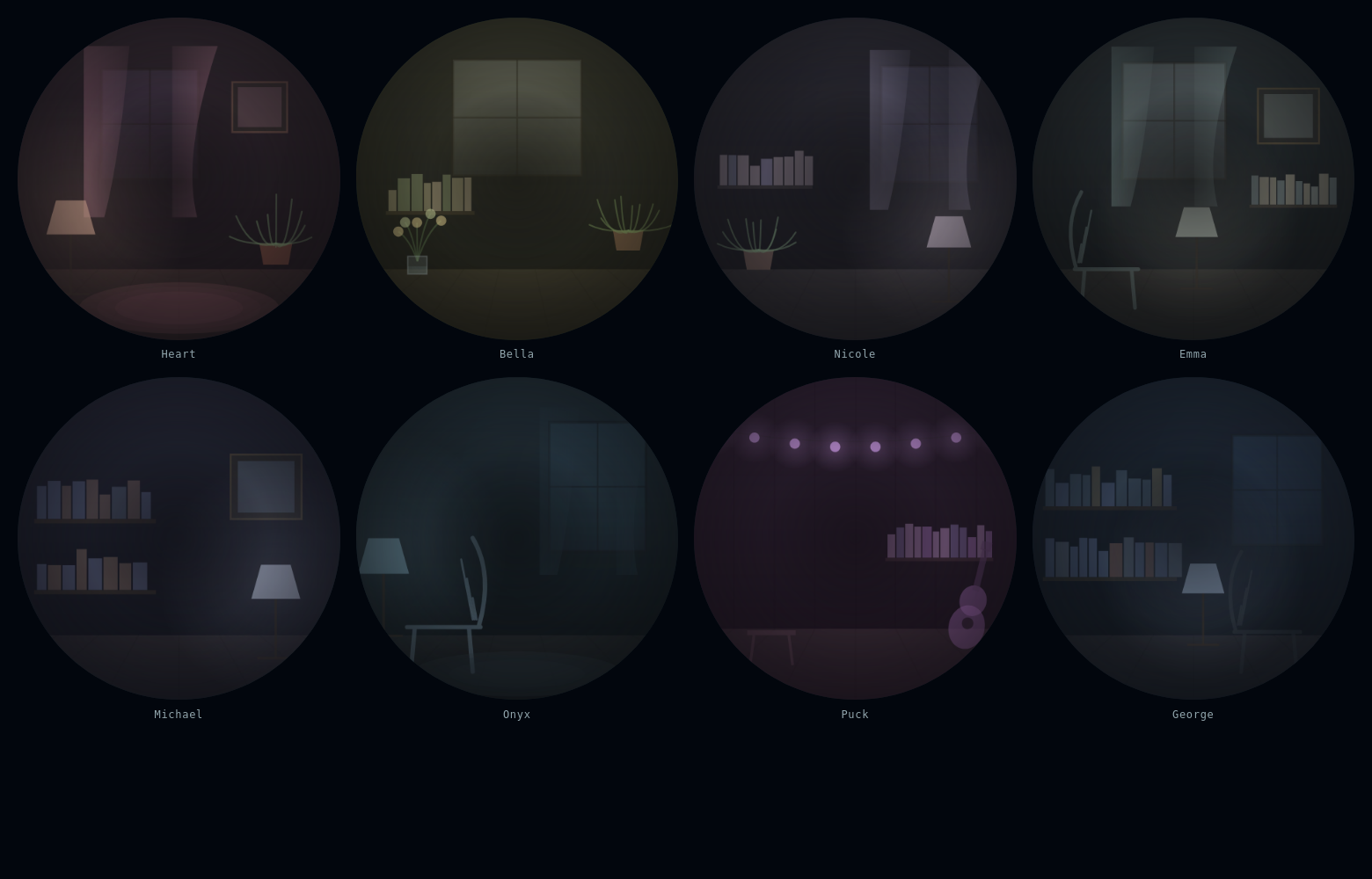
Eight dark circular scenes in a grid, each a small room drawn in
                thin light: a sitting room with a lamp and a potted fern, a
                sunlit kitchen with a shelf of jars, two studies lined with
                bookshelves, a parlour with a chair by the window, a low-lit
                lounge, and an attic strung with small violet bulbs.

Voice rooms

Every voice on /hear now has a room behind it. Not a colour swap — a scene, drawn from the accent: a study, a parlour, a kitchen, an attic with string lights.

They are not wallpaper. Each room has one light source, and that light is driven by the live voice — so it brightens and settles with whoever is speaking. Drawn entirely with canvas primitives: no images, no fonts, nothing fetched.

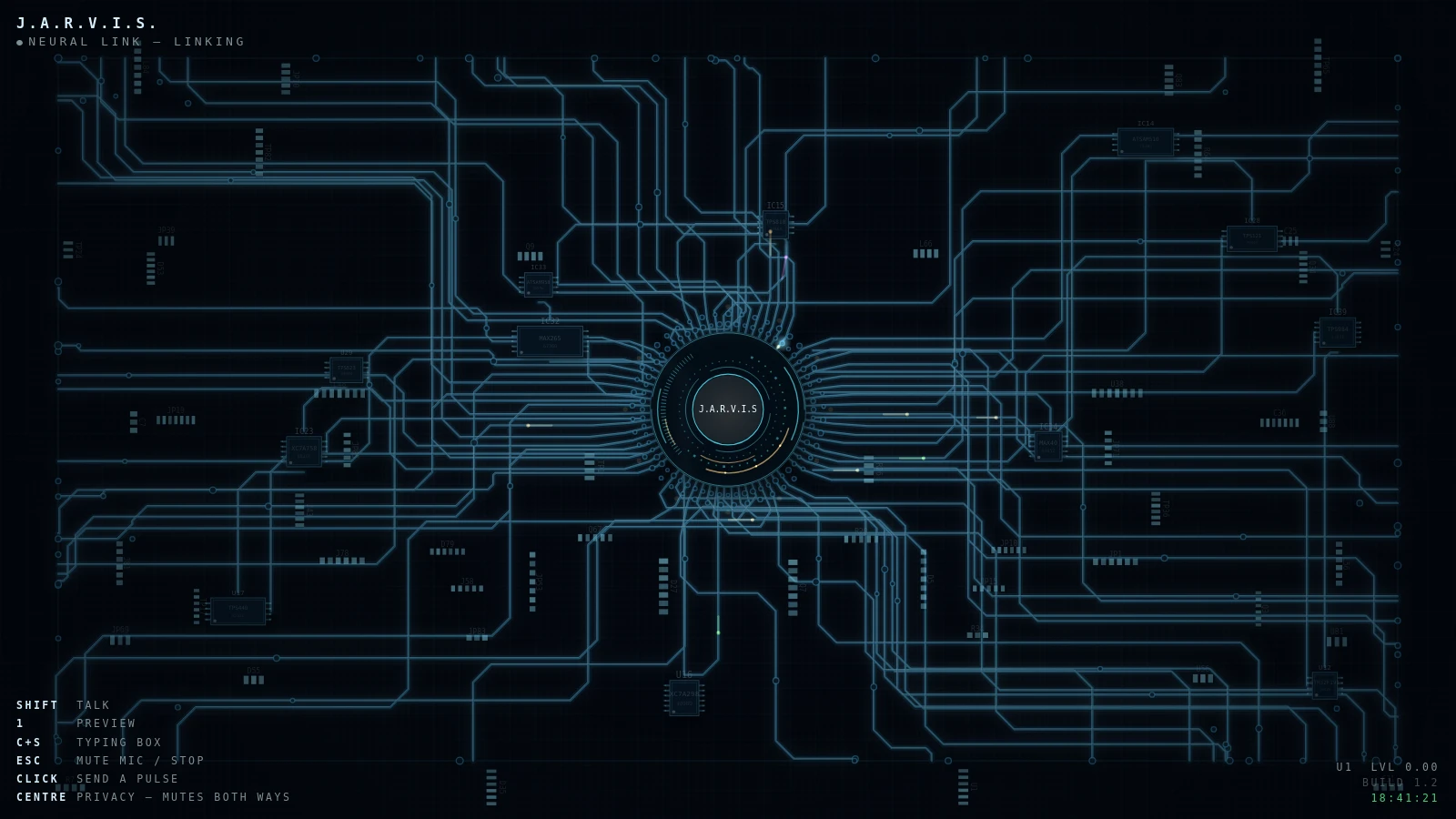
A near-black circuit board seen from above, thin blue traces lit
                from within and running out from a round terminal panel at the
                centre with the name J.A.R.V.I.S. inside it. A key legend sits
                bottom left and a build number bottom right.

Jarvis 1.2

The board as it runs today. Darker and sparser than v.1: near-black substrate, thin lit traces rather than shaded copper, and the light coming from the traces themselves instead of falling on them. The name descrambles into a terminal panel at the centre, an oscilloscope sits inside a chip housing drawing real samples, and four colours of pulse each mean something.

One fileCanvas 2DNo dependencies~88 KB

Read the code Standalone demo temporarily withdrawn — the extracted copy does not initialise correctly. The code below is the real thing; the running version lives on the board.
What changed since v.1

Palette rebuilt, and it reversed an earlier decision. v.1 had pulled the copper down to a third of its chroma to match the site. 1.2 goes the other way: near-black board, lit green traces.

Shading removed, deliberately. v.1 stacked four stroke passes — mask, drop shadow, body, lit edge — to make the copper read as raised metal. A drop shadow under a light source is a contradiction, and it made every run look heavy. Back to two passes, trace weight cut from 2.4 to 1.15, glow tightened from 7px to 5px.

Pulses carry meaning. Two colours became four: inbound, the assistant's own internal work, background jobs, and outbound speech. The mix follows the state, so thinking looks different from idle rather than just faster.

The scope moved into a component. It was a rectangle floating over the board, which read as a debug overlay. Now it sits inside a chip package with pins, a bevel, a silkscreen designator and a recessed glass window, with a graticule behind the trace and a clip so it cannot spill onto the board.

The centre readout descrambles. Characters churn and resolve like something being decrypted, driven by the live energy — about one character a second at rest, nine flat out. It visibly stalls part-resolved when the signal dies, which is the point: it is instrumentation, not decoration.

A terminal panel and a vignette. The name sits in a black panel with a hairline border and corner ticks, with a warm bloom behind it that rides the glow energy. The frame darkens at the edges so the middle carries the eye.

A status bar. Name top-left, live state and a running clock top-right. It shows the real state — if it ever reads IDLE during speech, the bar is lying and that is a bug.

Honest note: none of this was checked by rendering it. The browser on the build machine holds a profile lock, so it was verified structurally and by eye over the code, then handed over for a human to look at.
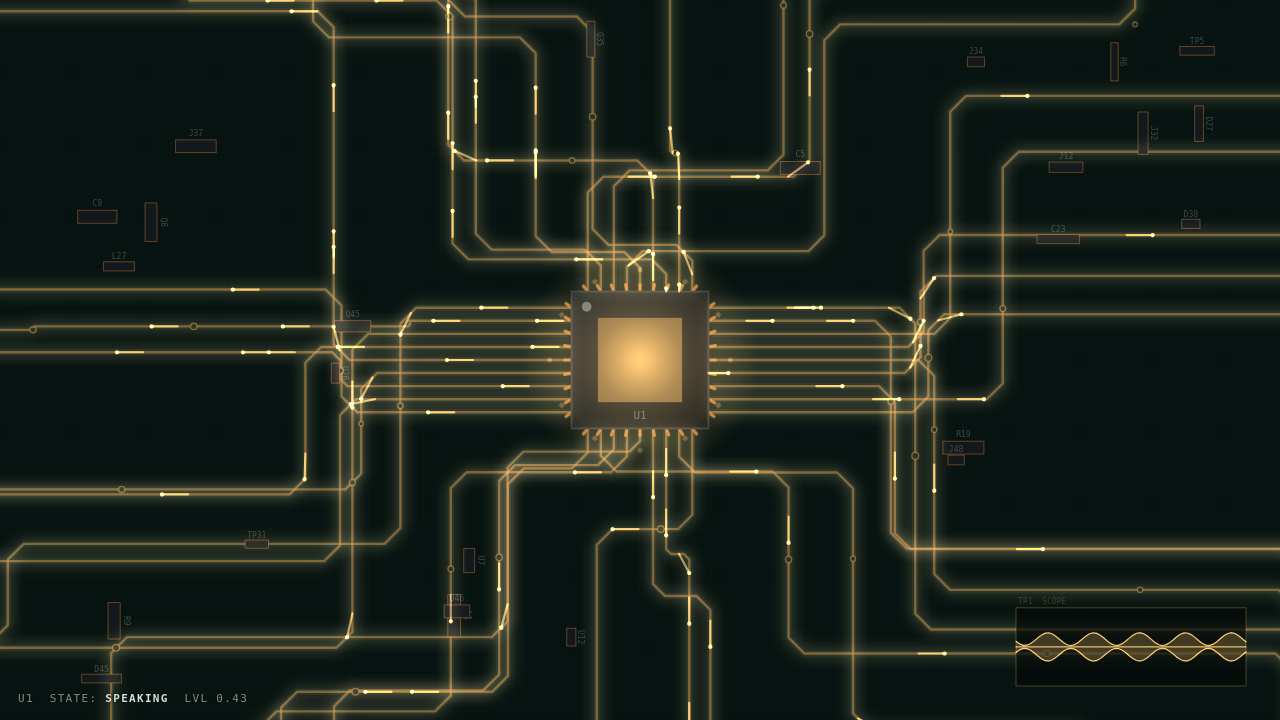
A dark circuit board seen from above. Copper traces run out from a
                glowing chip at the centre, brightening in time with speech, with a
                small oscilloscope readout in the corner showing the waveform.

Jarvis v.1

A circuit board that lights up when it hears you. Copper routes like real copper — right angles, chamfers, teardropped pads — lit and shadowed so it sits on the substrate instead of being drawn into it. Signals race the traces toward the chip, a readout at the centre descrambles words as it thinks, and pressure waves fire on the peaks of speech rather than on the level, which is what makes it read as talking instead of pulsing. When the voice stops, the board settles.

One fileCanvas 2DNo dependencies

Read it See it running

A full build spec, about 200 lines. Dark green board, copper routed the way copper routes, silkscreen designators, glowing junction nodes. Pulse colours that mean something — inbound, internal, background jobs, outbound — so a busy machine looks busy. A scope embedded in a chip housing drawing real samples. And the part it is strictest about: nothing runs on a timer. The verification steps make the model prove that before it calls the job done.